
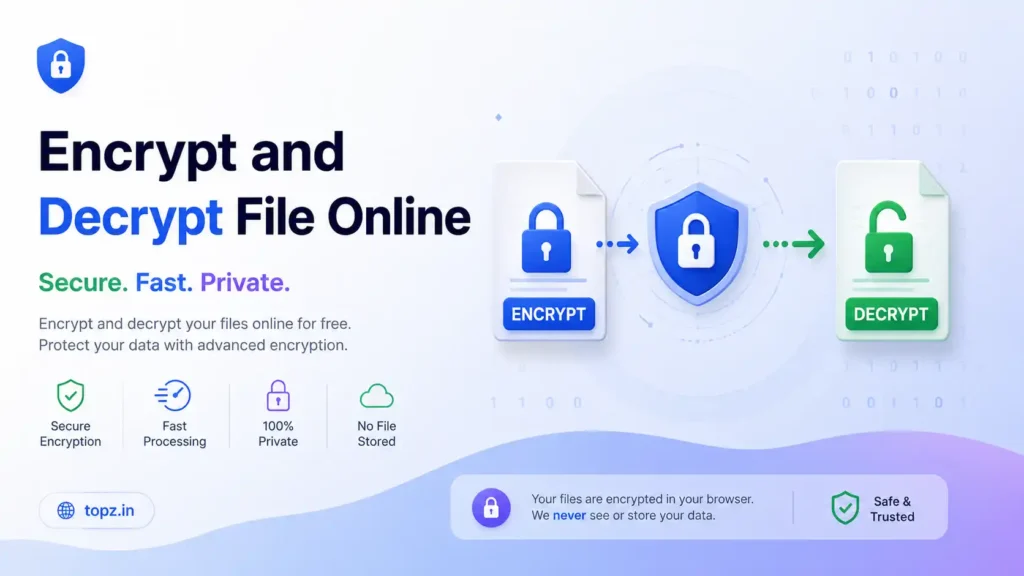
Protect your confidential files with military-grade AES-256 client-side encryption. Encrypt and decrypt documents, PDFs, photos, and arch
Key Features
- 100% Client-Side Processing: No data is ever uploaded to a server, cloud storage, or database. Your files remain exclusively on your machine.
- Military-Grade Security: Utilizes the Advanced Encryption Standard (AES-256) in Galois/Counter Mode (GCM), the same cryptographic standard trusted by governments and financial institutions worldwide.
- Fast and Serverless: Because it operates in your browser's RAM, processing is incredibly fast and works offline once the page is loaded.
- No Size Limits Imposed: Encrypt large files directly. (Note: Maximum file size is only limited by your computer's available RAM, generally up to 100-500 MB).
- No Accounts or Installation: A seamless, zero-friction experience. No software to download, no accounts to register, and no subscriptions to pay.
Supported File Formats
This tool operates at the binary level, meaning it encrypts the raw data of the file rather than reading its specific format. Therefore, it supports absolutely all file types, including:
- Documents:
.pdf,.docx,.xlsx,.pptx,.txt,.csv - Media & Images:
.jpg,.png,.mp4,.mp3,.wav,.mov - Archives & Executables:
.zip,.rar,.tar,.exe,.dmg,.apk
When a file is encrypted, it is downloaded with a .enc extension. To open it, you must process the .enc file back through the decryptor tab with the exact password used to lock it.
How It Works Under the Hood
When you select a file and enter a password, the tool leverages the browser's built-in Web Crypto API.
- Key Derivation: It does not use your password directly. Instead, it uses PBKDF2 (Password-Based Key Derivation Function 2) with 100,000 iterations and a random "salt." This mathematically stretches your password into a highly complex, uncrackable 256-bit key.
- Encryption: The tool applies AES-GCM encryption to your file's data. GCM is an "authenticated" encryption mode, meaning it not only scrambles the data but also applies a digital signature. If a single byte of the encrypted file is tampered with, decryption will immediately fail, protecting you from corrupted files.
- Packaging: The random salt and Initialization Vector (IV) are attached to the front of the encrypted file. When you upload the file to decrypt it later, the tool reads these markers to rebuild the lock and, provided the password is correct, restores the original file flawlessly.
⚠️ Important Disclaimer
Do not lose your password. Because this is a zero-knowledge, serverless tool, there is no database storing your credentials and no "forgot password" feature. If you forget the password used to encrypt a file, the data is permanently unrecoverable. We highly recommend storing your encryption passwords in a secure password manager.
Frequently Asked Questions (FAQ)
Is my file uploaded to the internet?
No. The entire process runs locally within your web browser using JavaScript. You can even disconnect your computer from the Wi-Fi after loading the page, and the tool will still work perfectly.
What happens if I enter the wrong password during decryption?
The tool will immediately reject the attempt and display an error message. AES-GCM encryption includes integrity checks; it mathematically knows if the password provided is incorrect or if the file has been altered.
Can I share the encrypted file with someone else?
Yes. You can safely email or send the .enc file via any standard messaging app. The receiver will just need to open this exact web tool and enter the password you provide them (ideally shared through a different, secure channel) to unlock the file.
Why did my browser crash when encrypting a large file?
Because the tool processes files entirely in your computer's RAM (memory), attempting to encrypt massive files (e.g., a 2 GB video) may exceed your browser's memory allocation limits. For optimal performance, we recommend keeping file sizes under 100 MB.
Does this tool compress the file?
No. This tool encrypts data but does not compress it. The resulting .enc file will be slightly larger than the original file (by about 28 bytes) to accommodate the cryptographic salt and initialization vector. If you want to compress files, zip them first before encrypting.
How do I open or extract a .enc file?
A .enc file is a generic extension indicating that the file has been secured using data encryption. To open, view, or extract the contents of a .enc file created by this tool, you must navigate to the Decrypt File tab, select the file, and enter the exact password used during the original encryption process. Once verified, the tool will decode the file and download it in its original format.
Is free online file encryption safe to use?
It depends on how the tool is built. Traditional "online encryptors" upload your files to a remote server, which poses severe privacy risks. However, our tool uses client-side browser encryption, meaning the cryptographic process happens entirely offline within your device's memory. Because your unencrypted data never travels over the internet, it is 100% safe and private to use.
How can I password protect a folder without installing software?
While this tool processes individual files, you can easily password protect a whole folder by compressing it first. Simply compress your folder into a single .zip file using your computer's built-in tools (or a browser-based ZIP creator), and then upload that .zip file into our encryptor. The result will be a single, highly secure .enc file containing your entire folder structure.
Is AES-256 encryption really secure against hackers?
Yes. AES-256-GCM is the global gold standard for data security, currently approved by the NSA for protecting "Top Secret" classified information. It requires a 256-bit key length, meaning there are $2^{256}$ possible combinations. Even if a hacker used the world's most powerful supercomputers to launch a brute-force attack, it would take millions of years to guess the key. Your file's security entirely depends on the strength of the password you choose.
Can a hacker or software bypass the password on my encrypted file?
No. Because this is a zero-knowledge encryption platform, there are no "backdoors," master keys, or recovery codes built into the system. Without the exact password used to derive the cryptographic key, the binary data remains completely randomized and mathematically impossible to bypass or reverse-engineer.
What is the maximum file size for JavaScript client-side encryption?
Because serverless web applications use the HTML5 File API and Web Crypto API, the entire file must be loaded into your computer's temporary Random Access Memory (RAM) to be scrambled. Therefore, the maximum file size is limited by your device's hardware. Most modern web browsers can comfortably handle files between 100 MB to 500 MB. For gigabyte-sized files, dedicated desktop software is recommended to prevent your browser tab from crashing.
Will encrypting a file degrade its quality?
No. The encryption process does not compress, alter, or reduce the quality of your files. Whether you are locking a high-resolution .jpg image or a highly formatted .docx file, the Web Crypto API guarantees lossless encryption. When decrypted, every single byte is restored exactly to its original state.
ives without uploading them to any external server.